How to Register
How to Register
For domestic attendees, please use the following QR code to register.
国内参会者请通过如下二维码提交注册信息。

For international attendees, please refer to the following guidance and make the registration on this website:
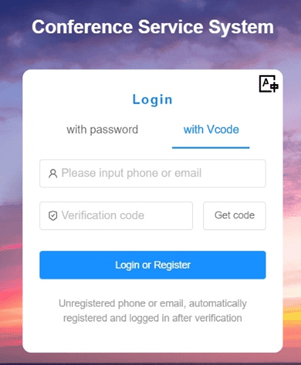
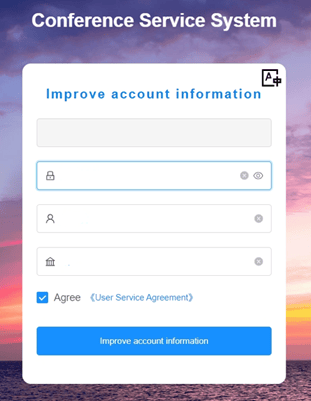
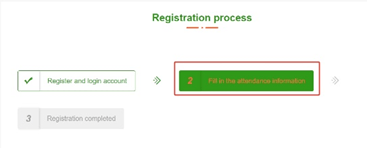
After clicking ‘Register’ under ‘Registration’ item on the top, the first step in 'Register' process ('Register and login account') will lead you to register an account on the website. When getting the verification code, please be aware that the verification code email might be categorized by your email system into the spam email list. Then fill in the information required and click ‘Improve account information’, the website will create you an account.


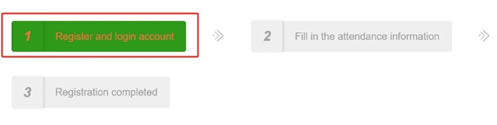


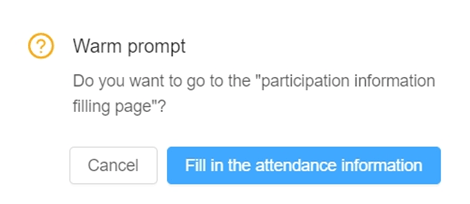
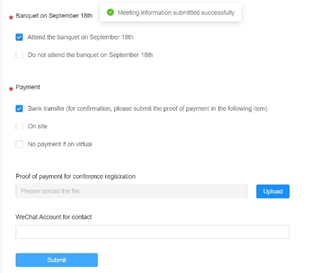
After creating an account on the website, you'll need to click ‘Register’ under ‘Registration’ item on the top again to continue the registration process, the second step ('Fill in the attendance information') in 'Registration' process will lead you to fill in your attendance information including name, affiliation, email address, and phone number; selecting the format of attendance (in-person or virtual); selecting whether to attend the banquet on September 18th or not; selecting the registration fee payment method from one of the three options: Bank Transfer (please check 'Payment' item for details), On site, and No payment if on virtual; and filling in the WeChat Account information if you have one and are willing to share it. After the above process, please click the 'Submit' button with blue background color at the bottom of the page to submit your attendance information.




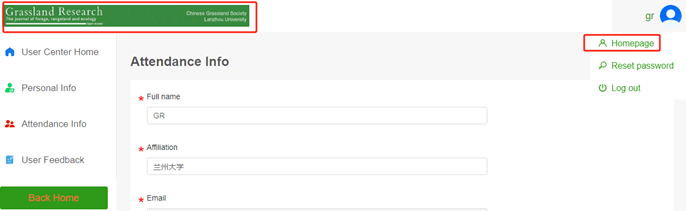
You can click the green Grassland Research journal banner on the left top corner or the first item ('Homepage') in the drop-down list of avatars in the top left corner to go back to the homepage of the website.